RiskCompass · risk register and policy
Your risks, kept up to date. No spreadsheet.
One register, with an owner and a plan for every risk.
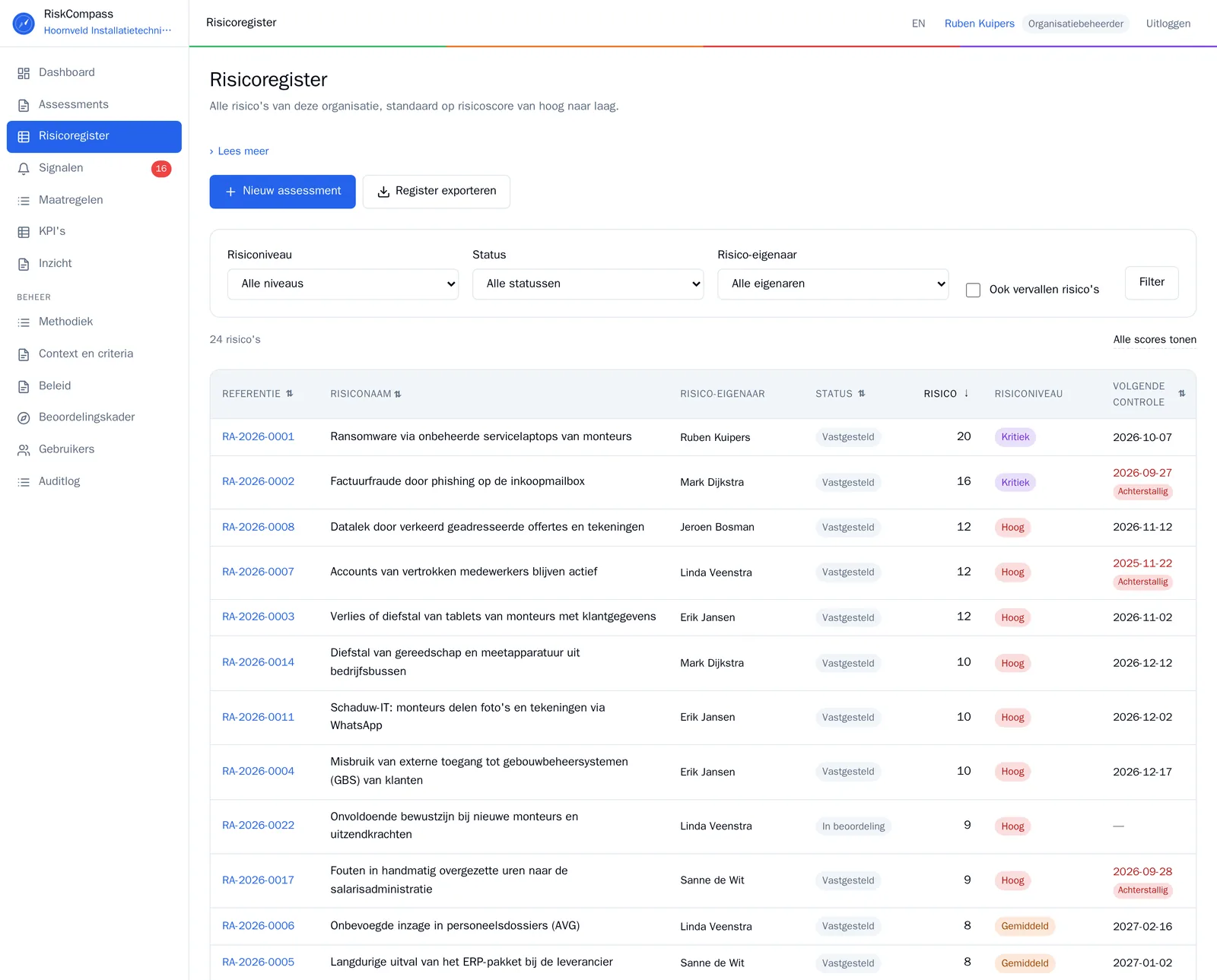
| Risk | Owner | Review |
|---|---|---|
| Ransomware via service laptops Critical | Ruben Kuipers | On time |
| Invoice fraud via the purchasing mailbox Critical | Mark Dijkstra | Overdue |
| Misaddressed quotes and drawings High | Jeroen Bosman | On time |
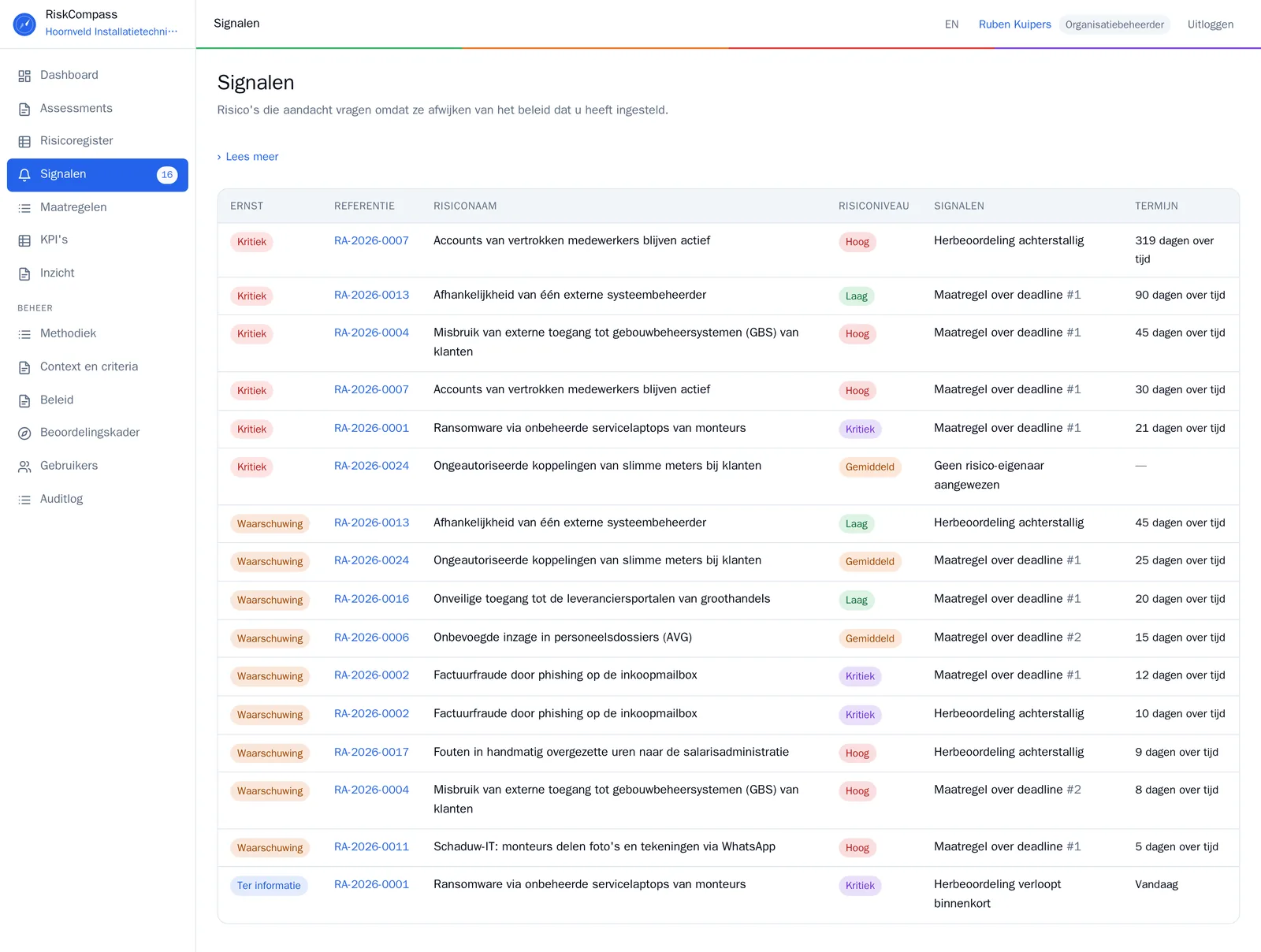
Whoever falls behind gets a signal.
- Overdue work shows at onceeight kinds of signals, recalculated from your policy every time
- Policy from your own registerRiskCompass fills in 7 of the 11 sections of your risk management policy
- Grows with your organisation10 components, from context to monitoring, each in three steps
- Every change traceablewho, what, when, and from which value to which
From a spreadsheet per risk to one risk register
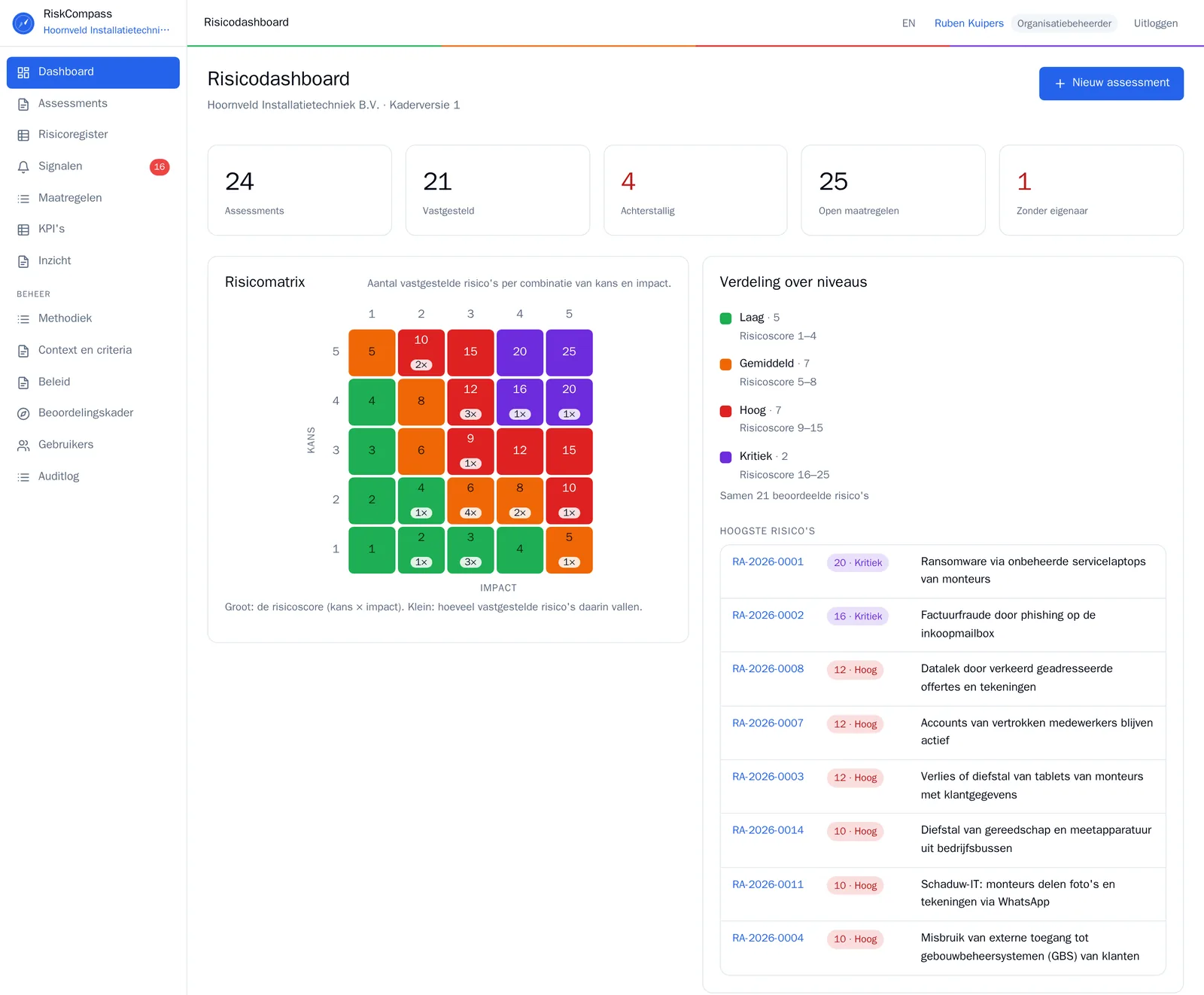
Every risk has a number, an owner, a level, a status and a date for the next review. You can export to Excel at any time.
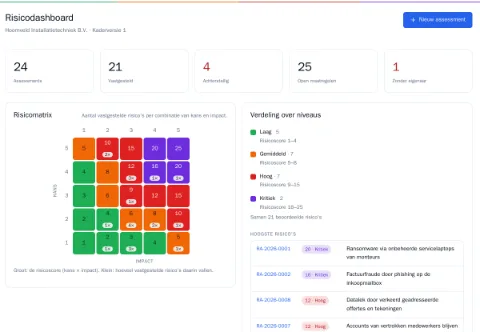
Everything in one overview
How many risks are approved, what is overdue, which measures are open and where each risk sits in the likelihood-and-impact matrix.
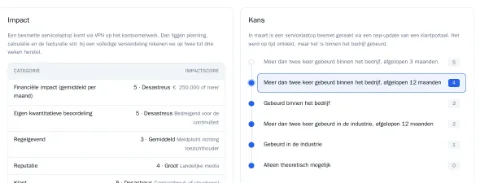
Assess in plain sentences
For impact and likelihood you pick a sentence, such as “more than a week of complete outage”. Two people then weigh the same risk the same way.
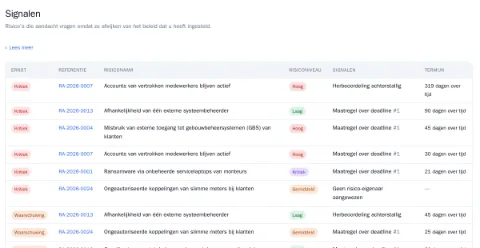
Fall behind and you see a signal
An overdue review, a missing plan, a risk without an owner: it sits at the top for the person who has to fix it.
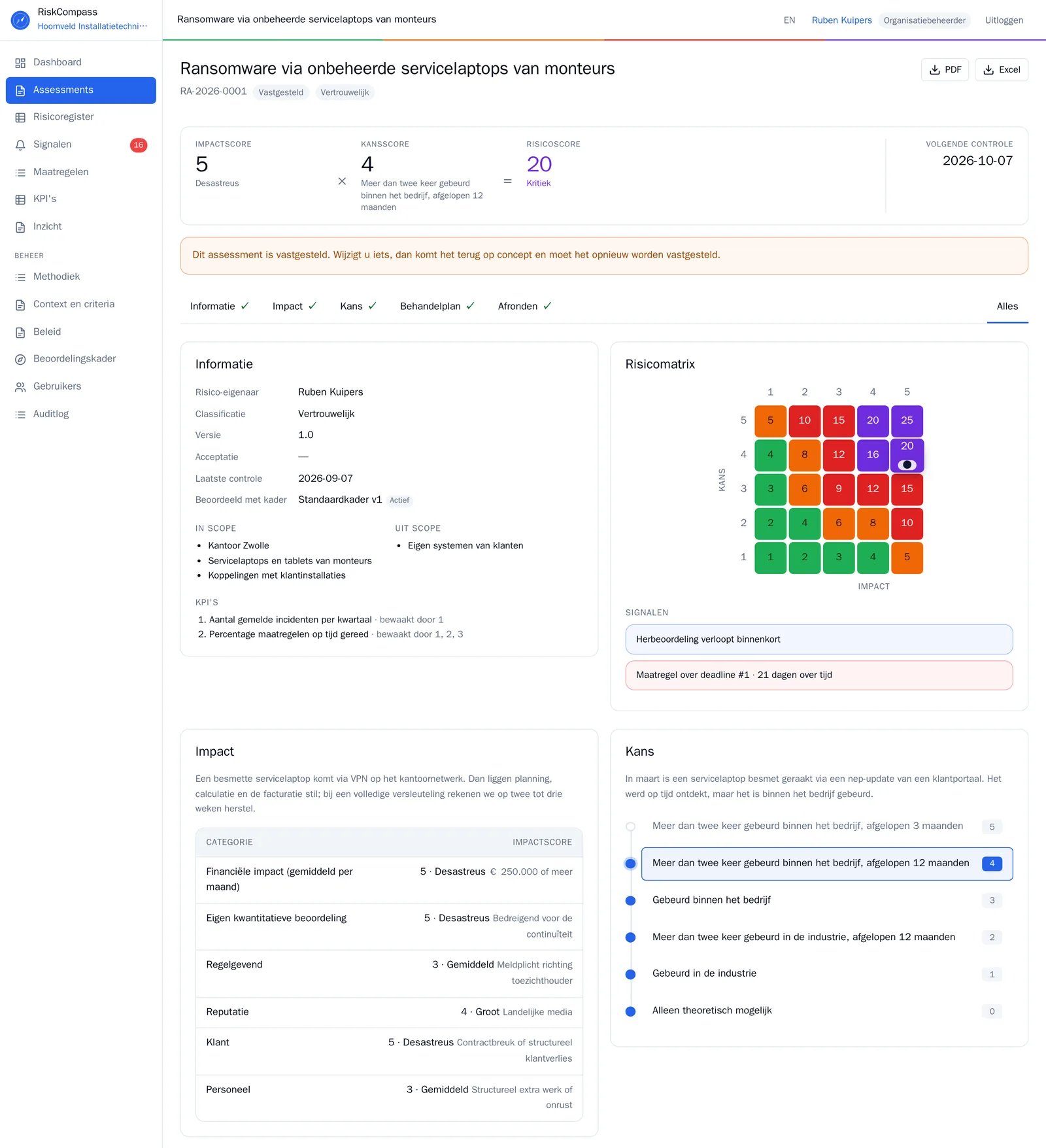
From critical to under control: the compass turns with your measures
Every risk gets a treatment plan with measures. RiskCompass works out what remains afterwards: the expected residual risk, with a level that follows from your risk appetite.
4
From the RiskCompass demo, risk RA-2026-0001. Measures: service laptops in Intune, roll out EDR, restore an offline backup every quarter.
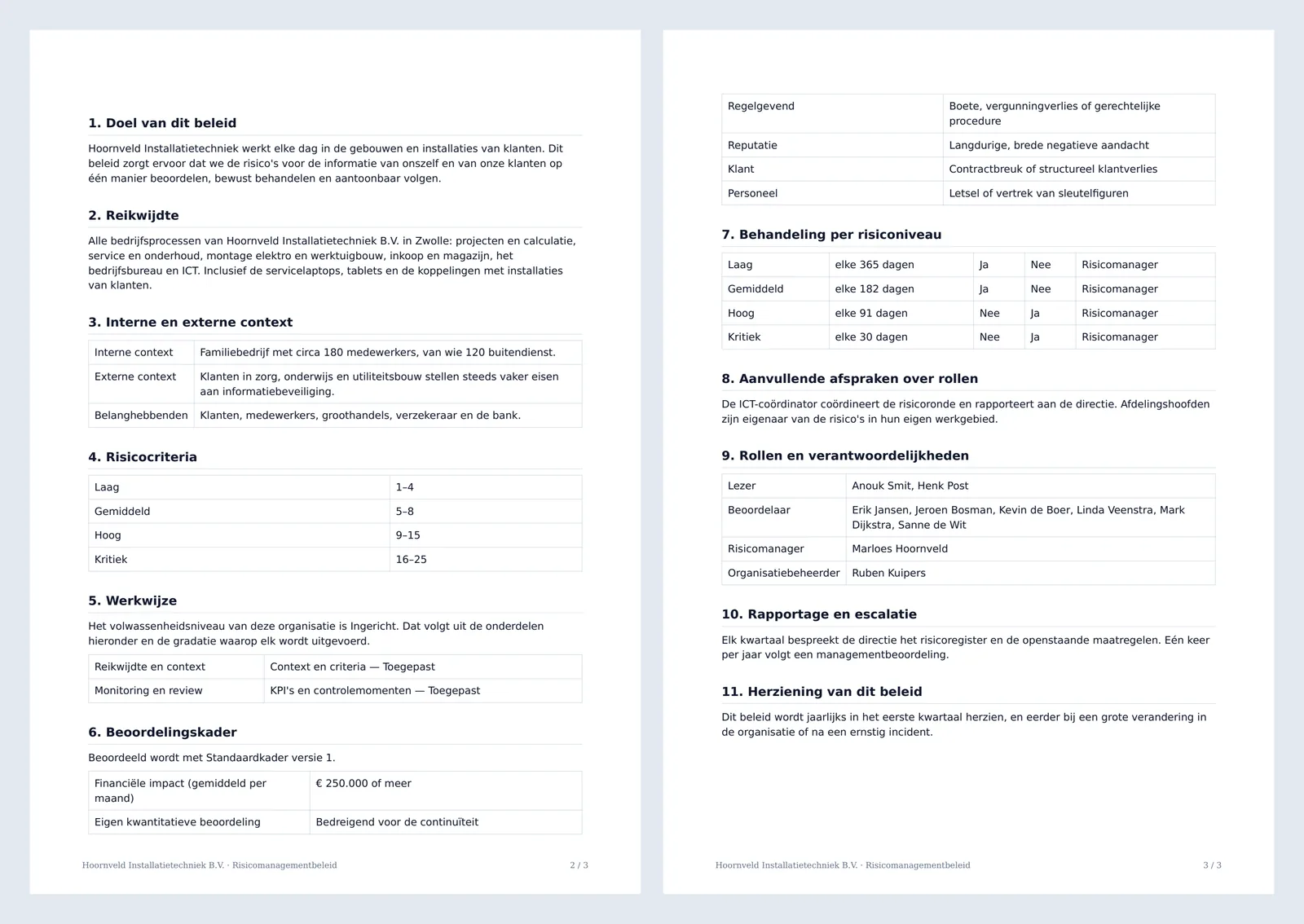
Your policy document mostly writes itself
Your risk management policy and information security policy largely come from what you’ve already recorded: your framework, your risk appetite, your roles. Every section RiskCompass fills in shows where it came from. You approve it and download it as PDF for the auditor and as Word for review rounds.
Built on ISO 31000 and the risk requirements of ISO 27001
The six phases of ISO 31000 are the foundation: context, identification, analysis, evaluation, treatment and monitoring. Of the numbered requirements (clauses) of ISO 27001, RiskCompass covers the policy (5.2), risk assessment with an owner (6.1.2), treatment and residual risk (6.1.3 and 8.3) and monitoring (clause 9).
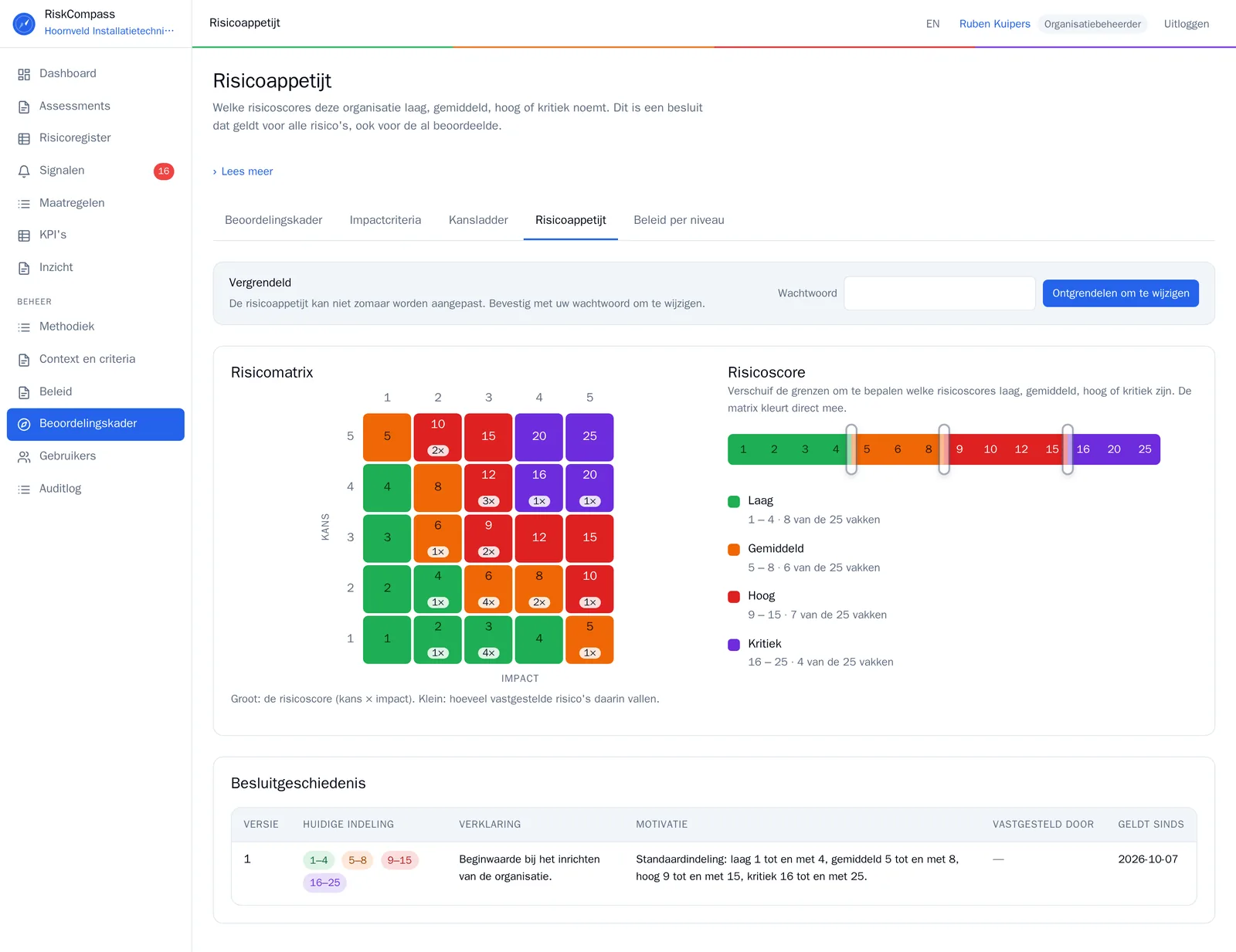
You can only change the risk appetite after unlocking it with your password. You see beforehand which risks change level, and you record why. Your auditor reads for every risk who made the call, with which version of the framework, and when the next review is due. You paste in your own control set, such as ISO 27002, BIO or NEN 7510, and link it to your treatment plans.
 View larger
Start small and switch on components as you grow
Ten components, from context and assets to BowTie analysis and the Statement of Applicability. You switch on each one at the depth that suits you; your package sets how deep. How mature your risk management is follows from what you actually do.
- Treatment plans with measures, deadlines and a KPI per measure, in one overview.
- A framework in use doesn’t change. Editing creates a new version, and every assessment uses its own version.
- Download an assessment as PDF or Excel, and the policy as PDF or Word, in English or Dutch.
- An audit log of every change: who, what, when, and from which value to which.
- Your data lives in its own environment and is separated from other organisations in the database itself.
What it costs
Choose one of three packages: Basic, Professional or Mature. The monthly price depends on your number of employees. Unlimited users.
For your board
Four short sections to forward: why now, what the risk is, what it costs and what it delivers.
Why now
ISO 27001 asks for a risk assessment with, per risk, an owner, a treatment plan and a reassessment at fixed moments. A customer or an insurer asks how you handle risks too. A spreadsheet per risk doesn’t answer that: nobody sees who is behind, and two assessors weigh the same risk differently.
Risk
A risk without an owner doesn’t get treated, and a judgement nobody repeats goes stale unnoticed. At an audit or after an incident it then turns out the register is wrong. RiskCompass shows that earlier: every risk has an owner, and whoever falls behind sees a signal.
Cost
A fixed amount per month, based on the package and the number of employees. There are three packages: Basic, Professional and Mature. How many people work in RiskCompass doesn’t affect the price. An extra organisation, such as a subsidiary with its own register, costs a fixed amount on top. The amounts are on secctl.io/en/pricing.
What you get
One register your auditor can read: per risk who made the judgement, with which framework and when the next review is due. A risk management policy and an information security policy that largely follow from that register, as PDF or Word. And a board that can show its policy is being followed.
Map your risks with your own organisation
Your environment is ready within one working day, in your own branding.