Awareness · security awareness training for employees
Spot what’s wrong. Each at their own level.
Your people practise with mock emails and invoices, and learn to see the red flags.
- From
- Annet Roozen <annet.roozen.work@gmail.com1>
- Subject
- Could you arrange something for me?
Hi, I'm in a meeting so I can't call. I want to surprise the team with a gift. Could you buy 6 gift cards of 100 euros2 and send me the codes on the back? I'll settle it with the department later. Preferably within the hour3, then I can hand them out this afternoon. Thanks!
3 red flags
- Private Gmail, not a work address
- Gift cards never come back
- Rushed, and no phone call
- 8,000+ test questionskept up to date by secctl
- Ten levelsfrom beginner to specialist, in English and Dutch
- Human Risk Scorethe risk that comes from what people do, per department
- Live within one working dayin your own branding; you connect your own Microsoft environment
You don’t pick courses. The autotrainer does.
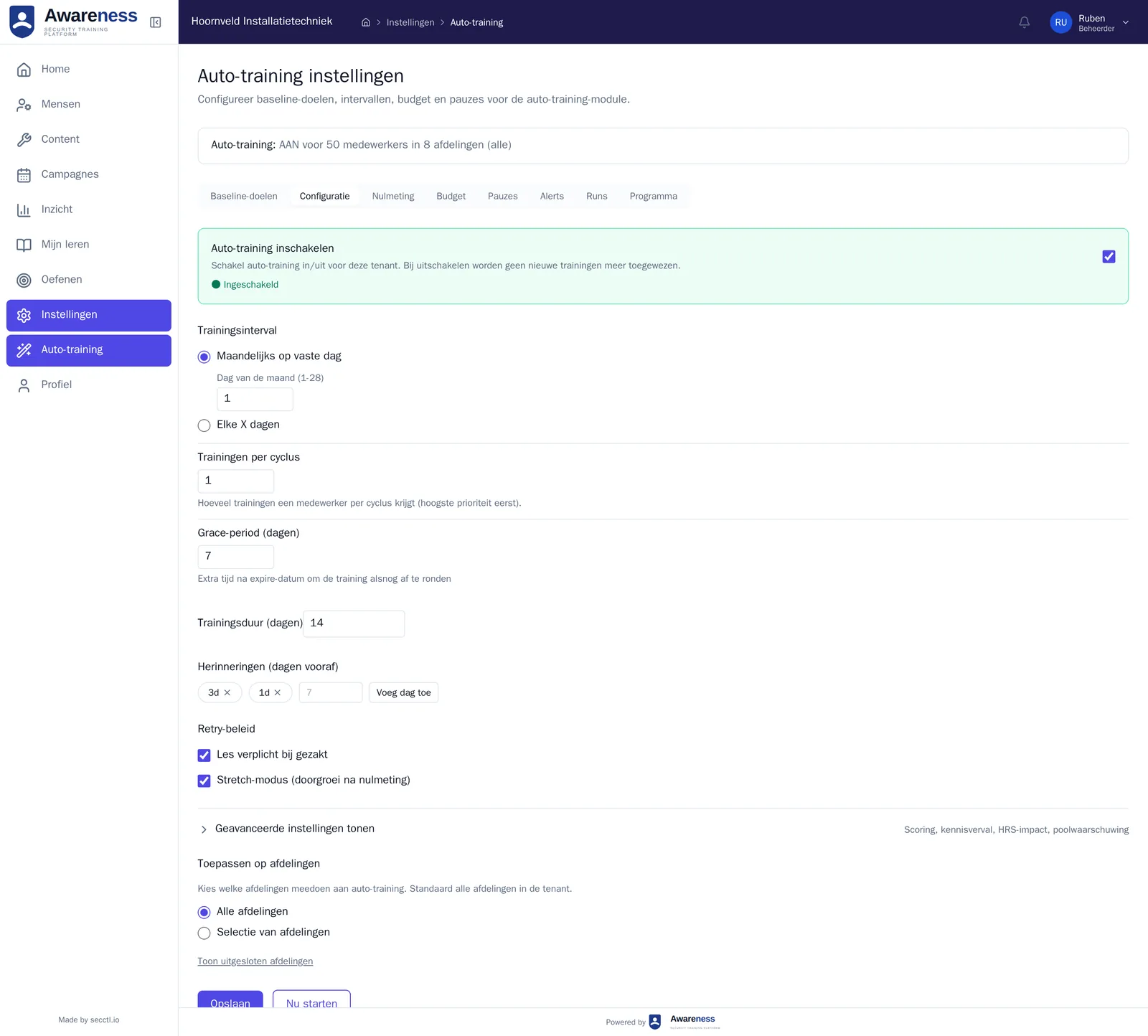
The autotrainer is Awareness’s automatic training planner. It measures what someone knows, assigns what’s missing and tests again later.
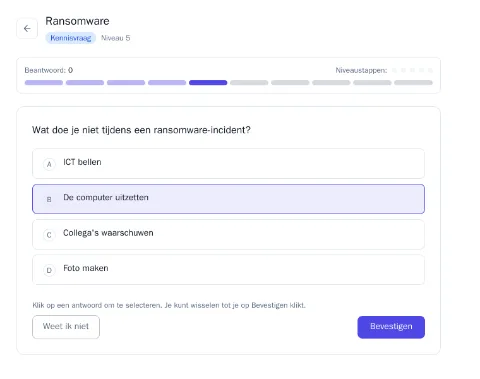
Measure what someone knows
The baseline test asks a few questions per topic, each a step harder for as long as the answers are right.
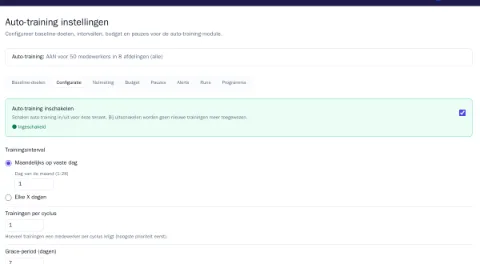
Assign what’s missing
For each topic that isn’t there yet, the employee gets one short training at their own level, with a due date and an email reminder. You set the pace: monthly on a fixed day or every so many days.
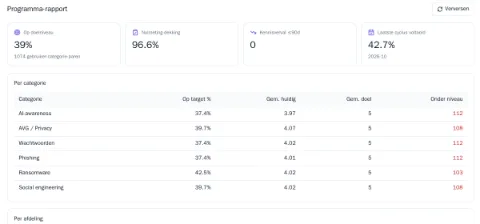
Repeat when knowledge fades
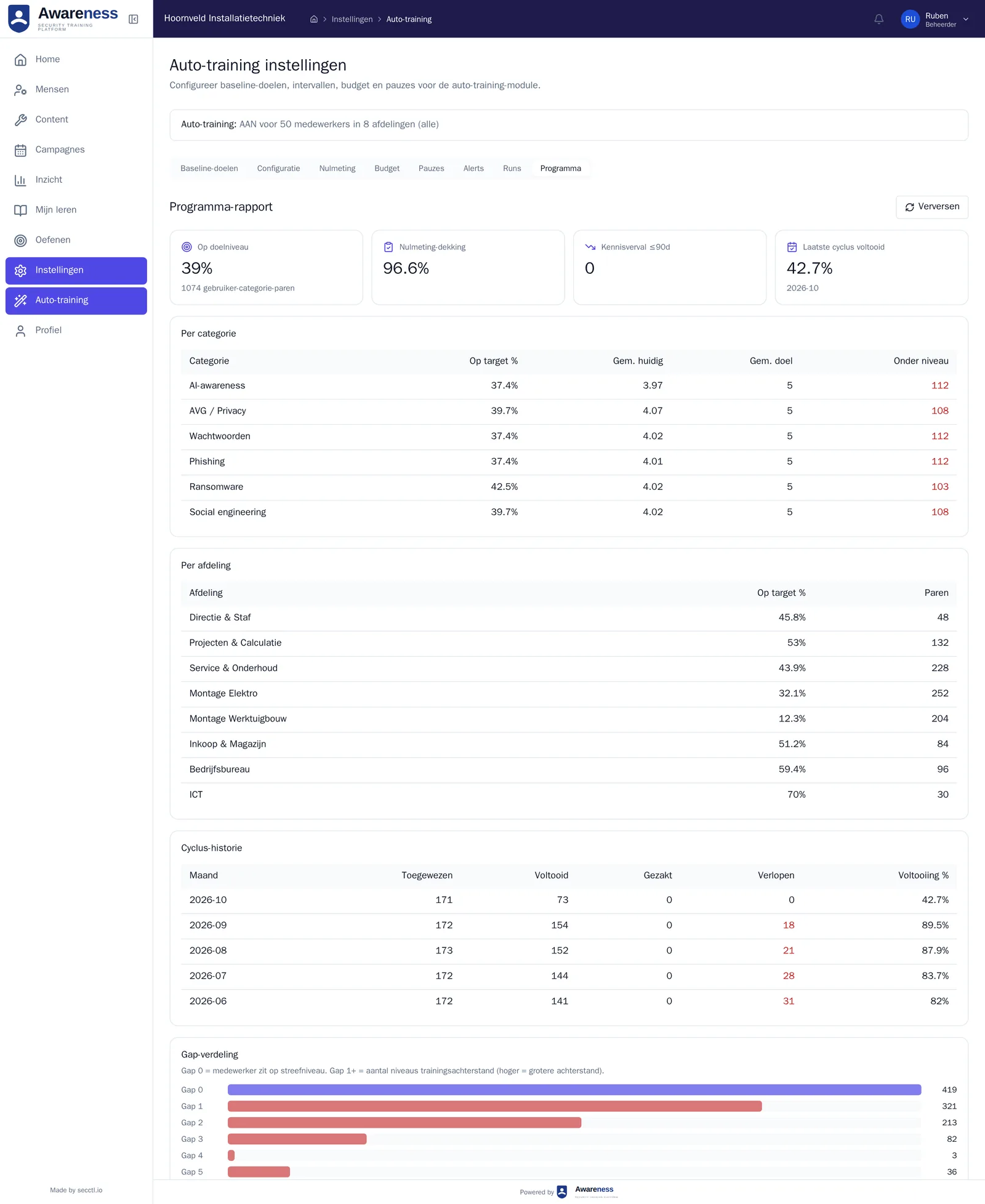
After a while Awareness tests again. If a score drops, the training comes back. Per department you see who is at the target level.
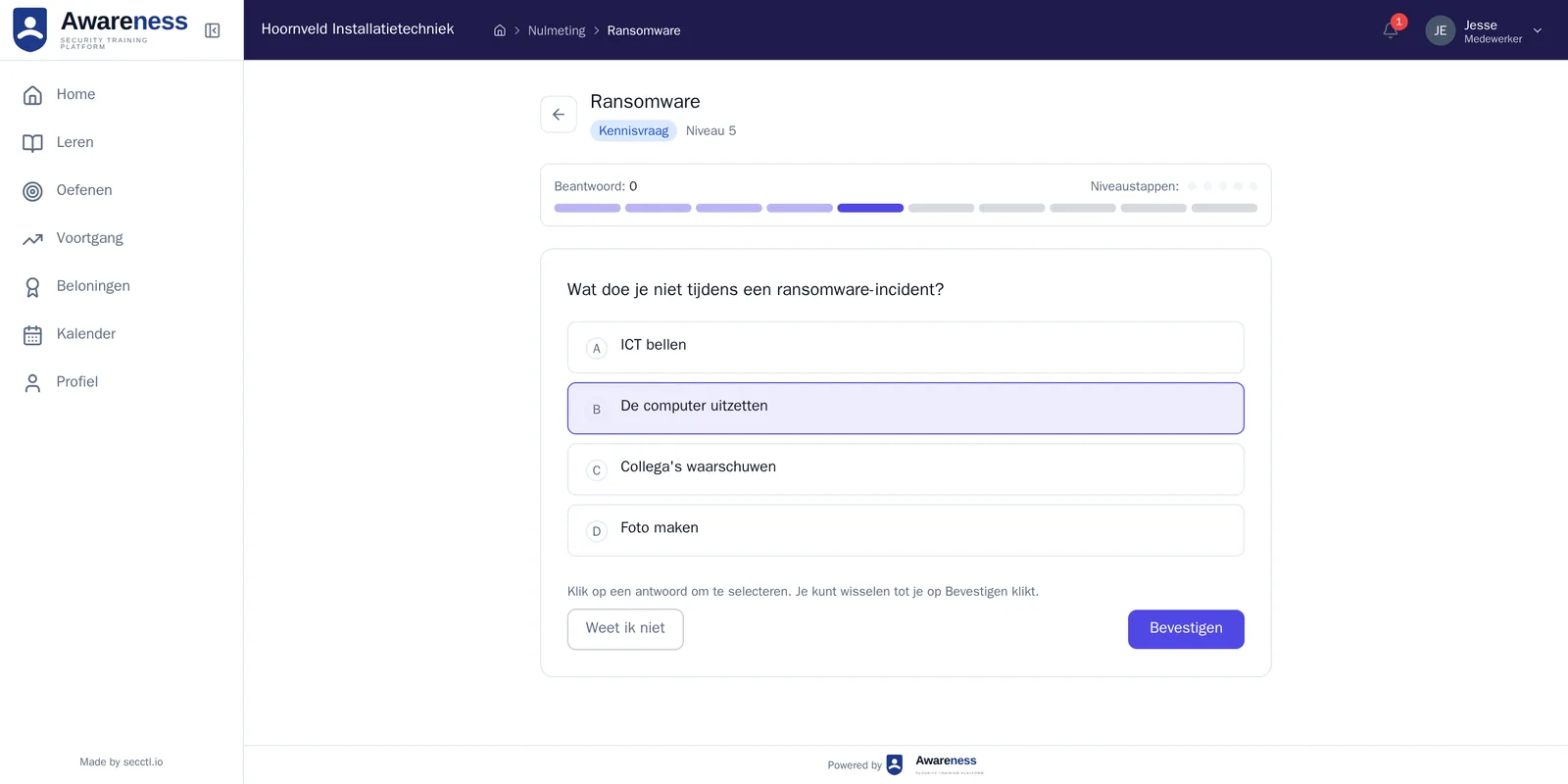
Security awareness training for every topic and every level
Passwords, fake invoices, sharing data, remote working, reporting incidents, phishing and new types of fraud: every topic has several levels. Someone just starting out gets a different training from a specialist.
- Ten levels, from beginner to specialist. The autotrainer picks the right level for each employee.
- More than 8,000 test questions. secctl adds new types of fraud and removes outdated questions, and your environment picks that up by itself.
- Every new training is added automatically.
- English and Dutch, set per employee.
Practice in the browser, with points and streaks
Short trainings of a few minutes, and exercises that look like what employees come across at work.
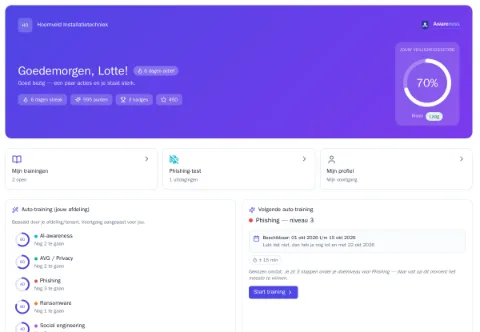
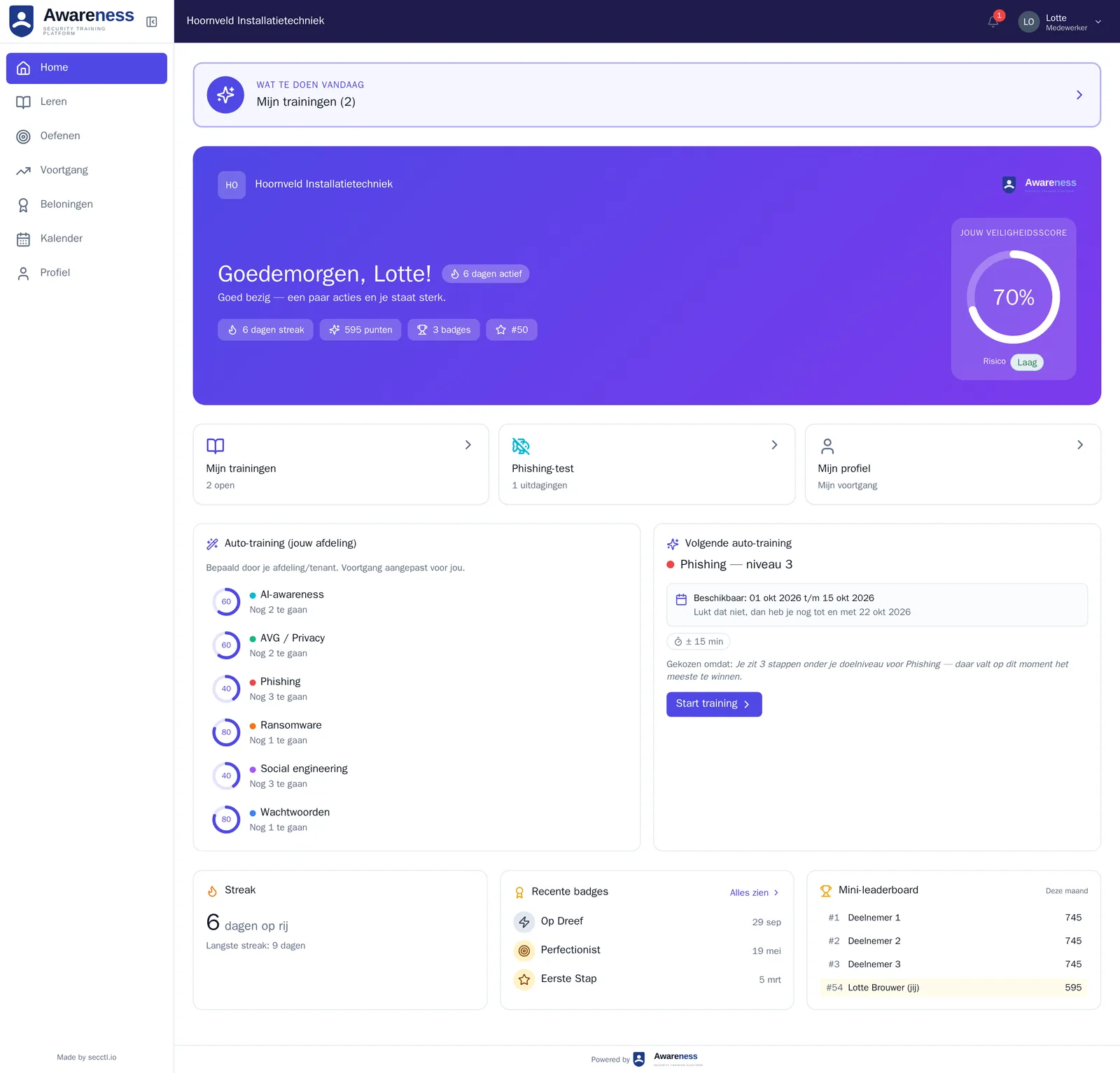
The next training, and why
On their own home page, every employee sees which training the autotrainer chose, until when it is open and why.
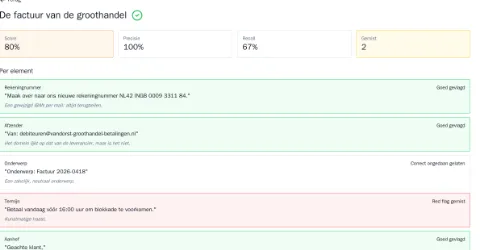
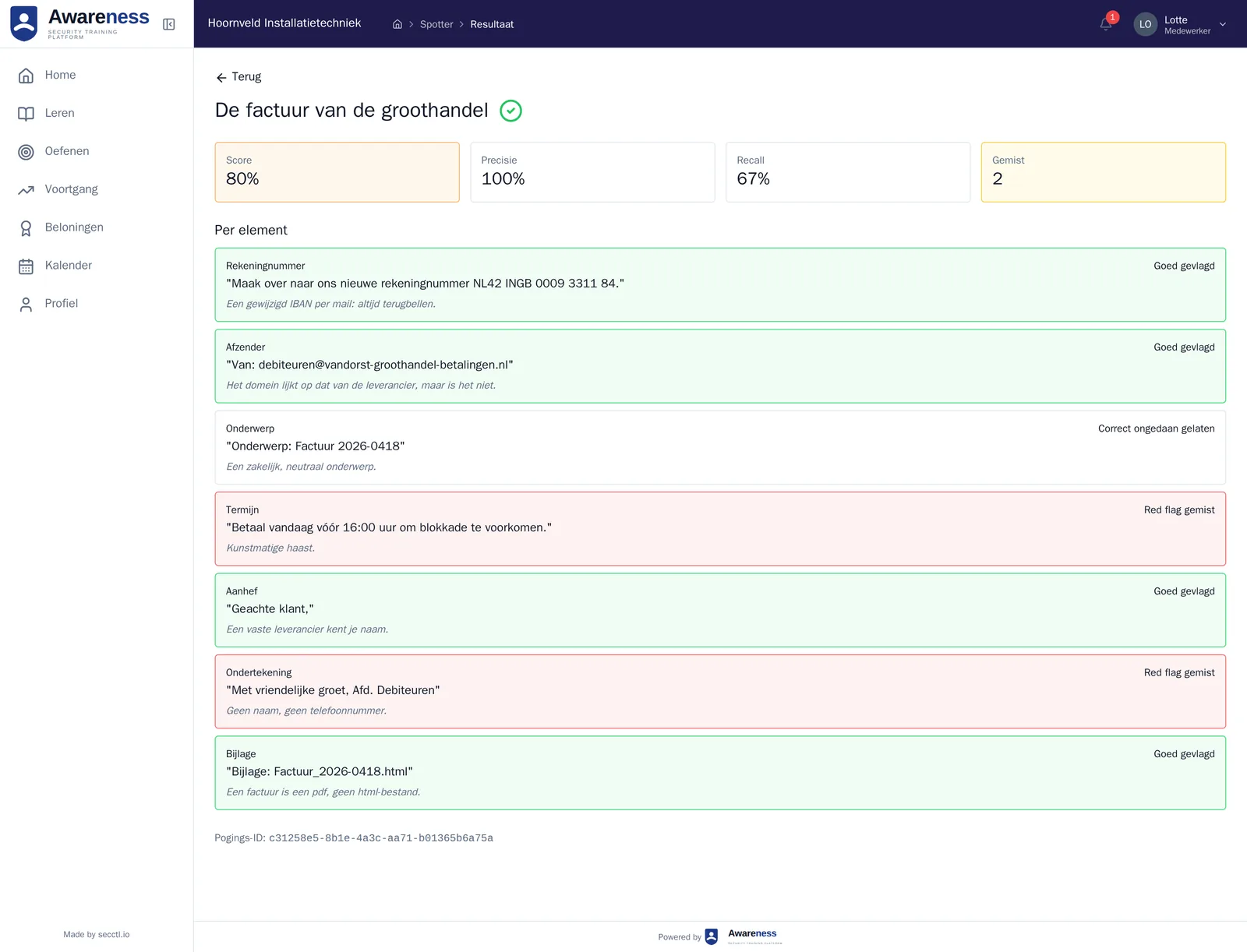
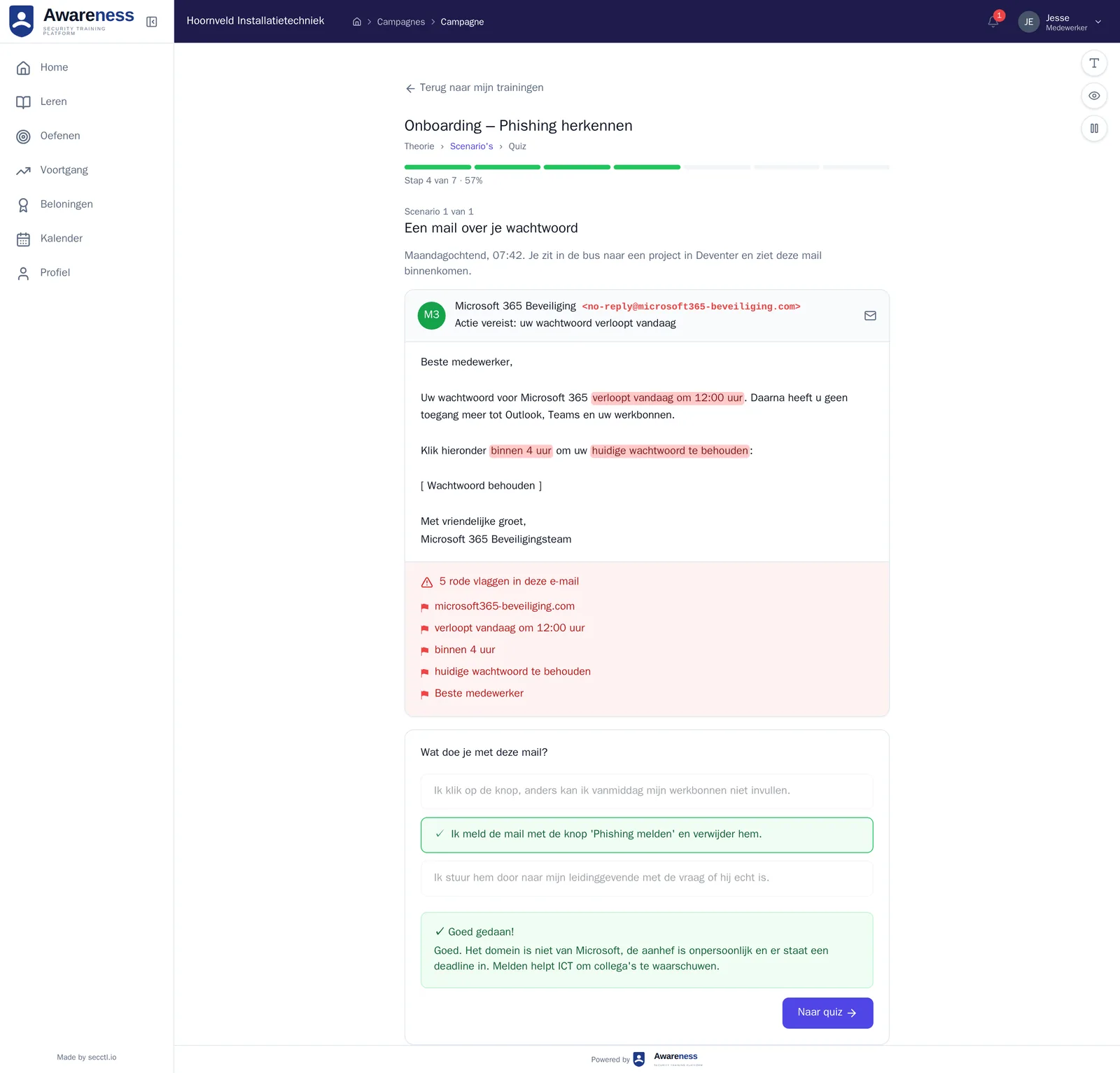
Point out red flags
Mark what’s wrong in an invoice, message or request, with the result for each part.
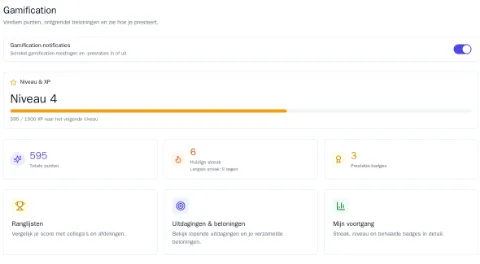
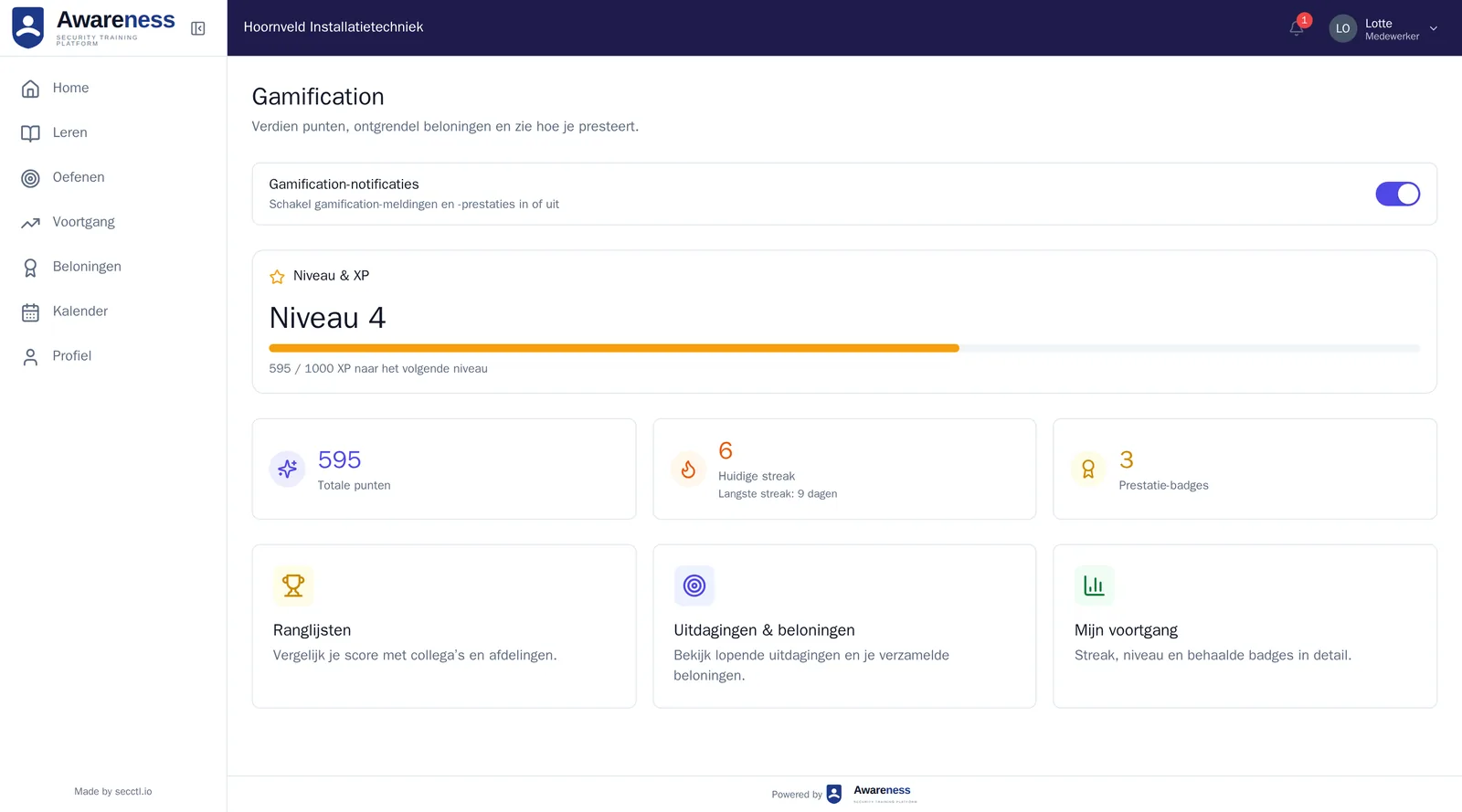
Points, levels and streaks
Linked to what someone actually did, with a leaderboard per organisation.
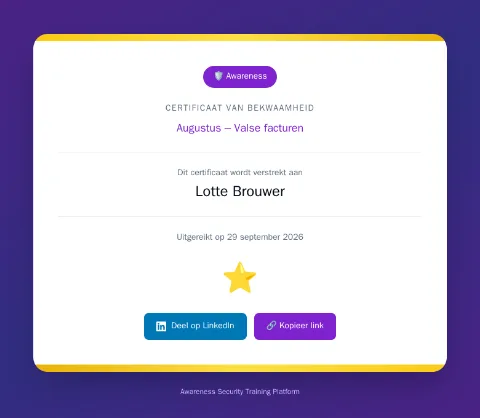
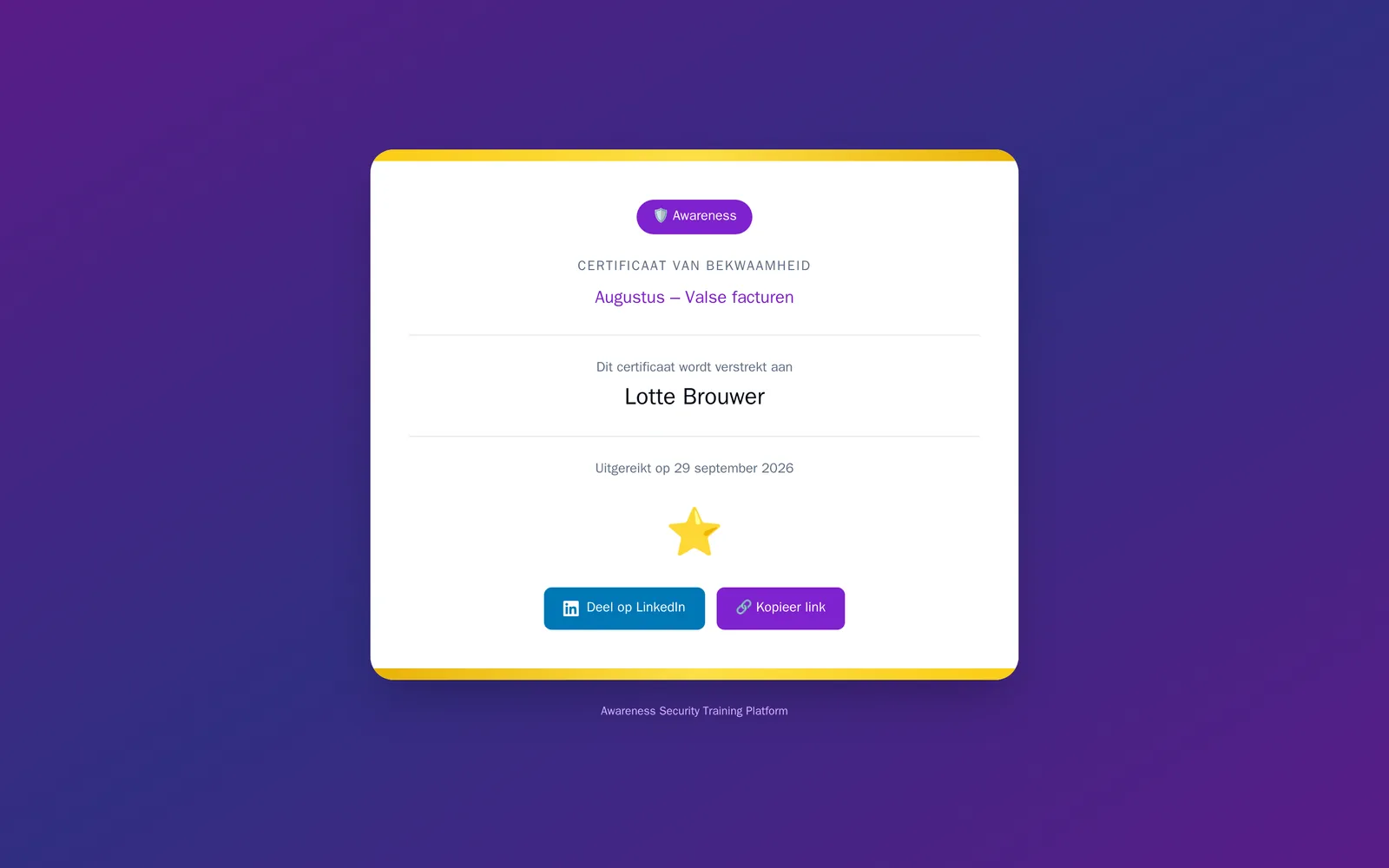
A certificate per training
As a PDF with a share link, LinkedIn included.
Watch your human risk go down, per person, department and organisation
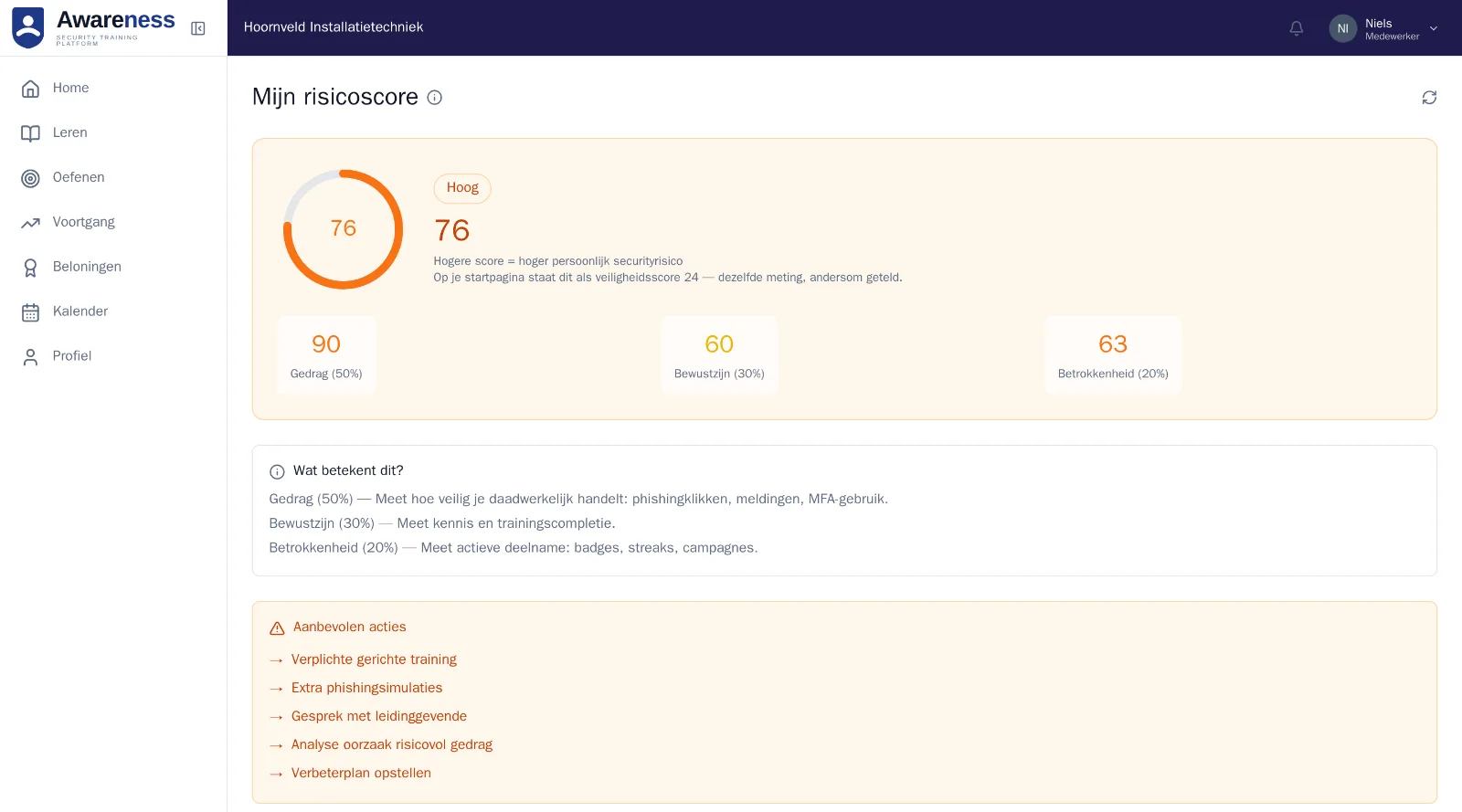
The Human Risk Score is a number for how much risk comes from what people do, built from behaviour, awareness and engagement. Lower is better; training and practice bring it down. Managers see their own department; you decide who has which role. Download any overview as PDF or Excel, and get a report by email as often as you choose.
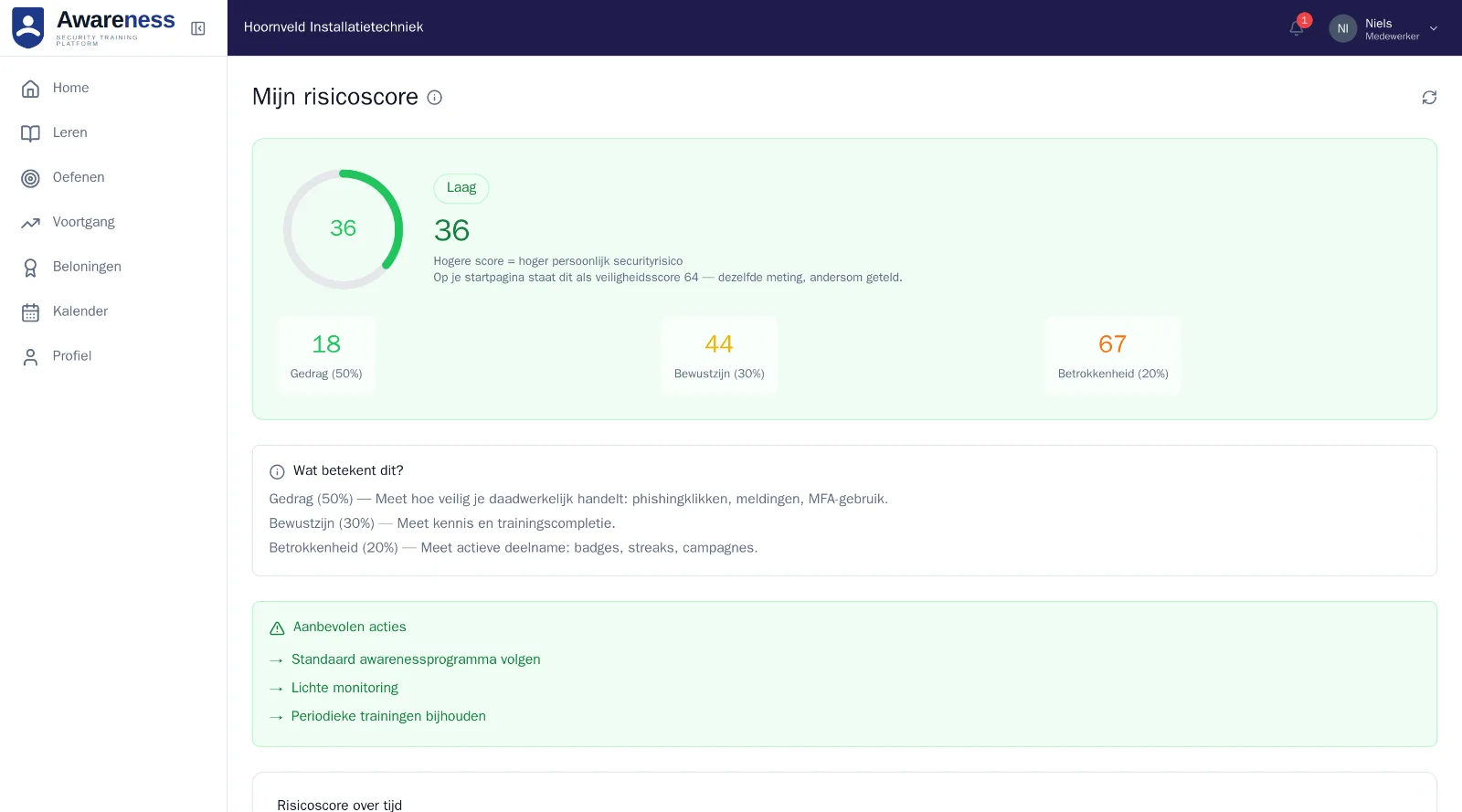
36
Demo organisation, before and after six months of Awareness.
Up and running within one working day
secctl reviews your request, and within one working day your environment is ready. Your administrator sets the logo and colours under Settings, Branding.
- Morning. You request an environment. It’s ready within one working day.
- Afternoon. You add employees with a CSV file, for example an export from Microsoft 365. Connect Awareness to your own Microsoft environment and they sign in with their Microsoft account; otherwise with email and password plus a second factor or passkey.
- Day 2. Everyone gets an invitation and takes the baseline test. The autotrainer assigns, and that same week you see the first Human Risk Score.
 View larger
Proof for your audit
NIS2 and ISO 27001 both require trained employees, and that you can show it.
NIS2, implemented in the Netherlands as the Cybersecurity Act (Cyberbeveiligingswet), names employee training as one of the measures your board approves and oversees. ISO 27001 asks for it in two numbered requirements: clause 7.3 on awareness and control A.6.3 on training. Employees know what is expected of them, and you can show it.
The department report, the certificates and the Human Risk Score are that proof. Your auditor decides on certification.
What it costs
One amount per month, based on your number of employees. It includes every training, every training that’s added later, the Human Risk Score and the reports.
For your board
Four short sections to forward: why now, what the risk is, what it costs and what it delivers.
Why now
NIS2, an ISO 27001 audit or a customer questionnaire asks for proof that employees are trained. A yearly presentation proves little: nobody can show who understood what.
Risk
An email someone opens, an invoice someone pays, a file someone shares: security depends on what employees do. The baseline test shows straight away what your employees do and don’t recognise.
Cost
A fixed amount per month based on your number of employees, with every training and every new training included. The amount for your organisation is on secctl.io/en/pricing.
What you get
A falling Human Risk Score, a report as PDF or Excel and a certificate per employee, as proof for your auditor, your customer or your insurer. And a board that can show it oversees training, as the law requires.
Frequently asked questions
What IT managers ask before they start.
How do employees practise?
In the browser, with short trainings and exercises: spotting fake emails and invoices, pointing out red flags and handling an incident step by step. Your mail server and spam filter stay as they are.
Does it work with Microsoft 365?
Yes. Connect Awareness to your own Microsoft environment and employees sign in with their Microsoft account; otherwise with email and password plus a second factor or passkey. You add them with a CSV file, for example an export from Microsoft 365.
Which languages?
English and Dutch, set per employee.
Where do employees work?
In the browser, on a laptop, tablet or phone.
How much time does it take an employee?
A training takes a few minutes and covers one topic. If someone already knows a topic, they don’t get a training for it.
See it work in your own organisation
Your environment is ready within one working day, in your own branding.